Weighting Error

The weight for Homework and Classwork grades cannot exceed 10% of student's final grade. Please enter the student's grade out of 10%.

Weighting Error

The weight for Sessional tests including the Practical cannot exceed 20% of student's final grade. Please enter a score of 20 or less.

Weighting Error

The weight for Practical, Classwork, and Homework cannot exceed 20% of student's final grade during the intervention. Please enter a score of 20 or less.

Weighting Error

The exam grade cannot exceed more than 40% of the student's final grade. Please enter a score of 40 or less.

Weighting Error

Mid-term and/or Course Work grades cannot exceed 25% of student's final grade. You must enter a score of 25 or less

Weighting Error

You must enter a number in this field. If the student was absent please enter -1

Weighting Error

Exam grades for sixth form students cannot exceed 50% of student's final grade. Please enter a score of 50 or less.

Conduct is not recognized. Conduct must be represented with any one of the following letters

E which represents Excellent
G which represents Good
S which represents Satisfactory
F which represents Fair
U which represents Unsatisfactory
P which represents Poor
D which represents Disruptive
I which represents Intolerable

Cannot Add Parent Here

Since each student is assigned a parent, and the parent cannot exist independent of the student, Parents can only be added from students' profile. Please go to the Students Home Page and find the student whose parent you would like to add.

Delete Warning

Once you delete the parent, you cannot recover the information. if you are unsure of what you are doing please press the close the alert and press cancel. If you do not know how you got her please seek assistance from the website administrator.

Logical Error

You indicated that the user is not the Head of Department of the Department to which he/she was assigned. However, you selected that the official title of the user is that he/she is an Head of Department. This is clearly a logical error. Please correct before continuing.

Logical Error

You indicated that the user is the Head of the Department to which he/she was assigned. However, you did not select the official title of the user as Head of Department. This is clearly a logical error. Please correct before continuing.

Delete Warning

Once you delete this user, the user data cannot be restored. Be sure that you know what you are doing before you continue.

Page Access Violation

You are not permitted to see this page. You will be redirected to the home page

Warning

TalsoftsSAS App Upgraded

Publication Date: Friday August 31, 2018 12:26:49 am EST
Publisher: Admin User

The latest version of the TalsoftsSAS app, version 2.2.21, has three new features that will make the app more student friendly.

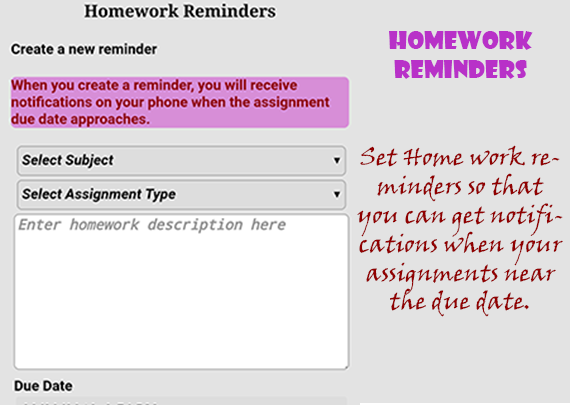
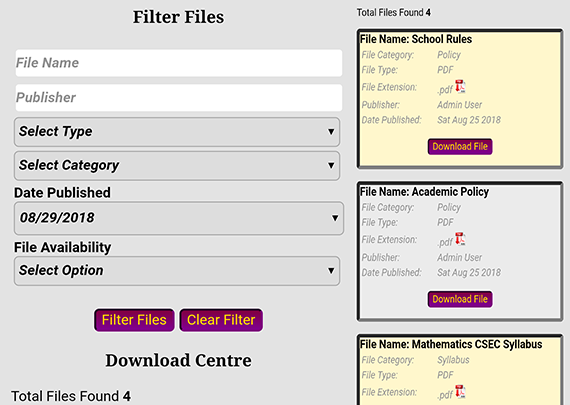
Students will now be able to use the app to set homework/project/assignment reminders. The app will issue a notification to the student a day before and on the day the assignment is due. This feature will help students manage their assignment and homework activities. In addition to the homework centre, both students and other users of the app will be able to download files uploaded to the download centre by students and school administrators. At this time there are four files that have been published to the download centre. For users who have not logged in, you can access the download centre under the student centre in the main menu section. For logged in users, there is a link to the download section under quick options on the app's main page.

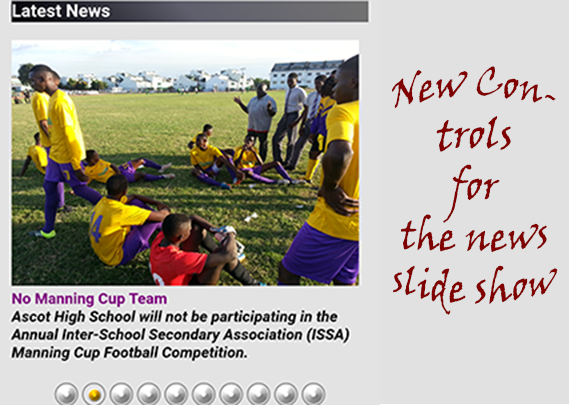
The scrolling of the news slide show has been improved dramatically in this version of the app. Users can now click on control icons below the slide show to scroll through the news items at their own pace. They can also slide the picture to scroll through the slide show items. Sliding to the right selects the next item in the slide show and sliding left selects the previous one.

The About page has also been improved containing much more detailed information about the app and the app developer. 

The app will always be improved to main it more user friendly. Please do not hesitate to submit suggestions and/concerns to the school about the TalsoftsSAS app.