The weight for Homework and Classwork grades cannot exceed 10% of student's final grade. Please enter the student's grade out of 10%.
Weighting Error
The weight for Sessional tests including the Practical cannot exceed 20% of student's final grade. Please enter a score of 20 or less.
Weighting Error
The weight for Practical, Classwork, and Homework cannot exceed 20% of student's final grade during the intervention. Please enter a score of 20 or less.
Weighting Error
The exam grade cannot exceed more than 40% of the student's final grade. Please enter a score of 40 or less.
Weighting Error
Mid-term and/or Course Work grades cannot exceed 25% of student's final grade. You must enter a score of 25 or less
Weighting Error
You must enter a number in this field. If the student was absent please enter -1
Weighting Error
Exam grades for sixth form students cannot exceed 50% of student's final grade. Please enter a score of 50 or less.
Conduct is not recognized. Conduct must be represented with any one of the following letters
E which represents Excellent G which represents Good S which represents Satisfactory F which represents Fair U which represents Unsatisfactory P which represents Poor D which represents Disruptive I which represents Intolerable
Cannot Add Parent Here
Since each student is assigned a parent, and the parent cannot exist independent of the student, Parents can only be added from students' profile. Please go to the Students Home Page and find the student whose parent you would like to add.
Delete Warning
Once you delete the parent, you cannot recover the information. if you are unsure of what you are doing please press the close the alert and press cancel. If you do not know how you got her please seek assistance from the website administrator.
Logical Error
You indicated that the user is not the Head of Department of the Department to which he/she was assigned. However, you selected that the official title of the user is that he/she is an Head of Department. This is clearly a logical error. Please correct before continuing.
Logical Error
You indicated that the user is the Head of the Department to which he/she was assigned. However, you did not select the official title of the user as Head of Department. This is clearly a logical error. Please correct before continuing.
Delete Warning
Once you delete this user, the user data cannot be restored. Be sure that you know what you are doing before you continue.
Page Access Violation
You are not permitted to see this page. You will be redirected to the home page
Warning
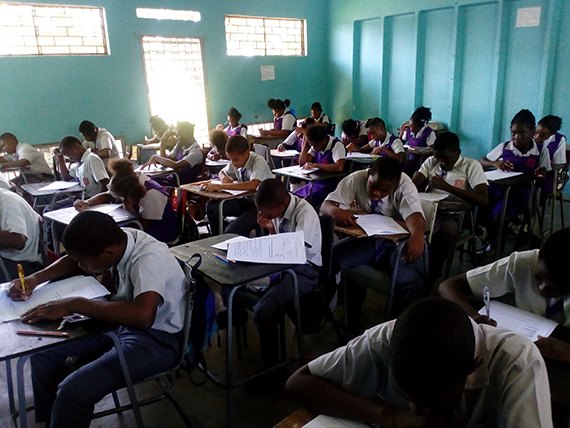
Exams Begin with ID Woes
Publication Date: Wednesday June 21, 2017 10:15:36 pm EST Publisher: Admin User
Many students crowded the computer laboratory to retrieve their Identification Card so that they could get sit their examinations.
Most students were in compliance with the new examination policy to present their ID cards to the invigilator to verify their identity. This verification has become necessary because not all students in a particular class are allowed to sit a paper administered to that class as each student must qualify to sit an examination paper. To ensure that all the students sitting an exam are qualified, the students must show their ID cards to the invigilator who checks that the student's name appears on the official invigilation register prepared by the subject teacher.
Students without an ID card will be allowed to sit the examination provided that the subject teacher or another teacher can positively verify the identification of the student. Students are not turned away from examinations for not having an ID card.
Nevertheless, parents and students are being reminded that acquisition of the ID facilitates greater ease of access to the examination room for the student. It is imperative that students acquire their ID cards quickly to avoid unnecessary delays sitting an examination.

 You are not permitted to see this page. You will be redirected to the home page